
An Online Al-Anon Email Meeting
An Online Al-Anon Email Meeting

Here are the steps for updating the Key to Harmony chairperson calendar:
Here are screenshots of the steps to make changes to the Key calendar:
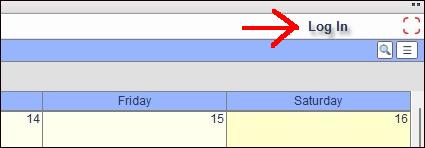
In the top right corner of the Chairperson's Calendar, click on the Log-In link and type in the username "admin" and the password. The Key to Harmony treasurer has the password for the Chairperson Calendar.
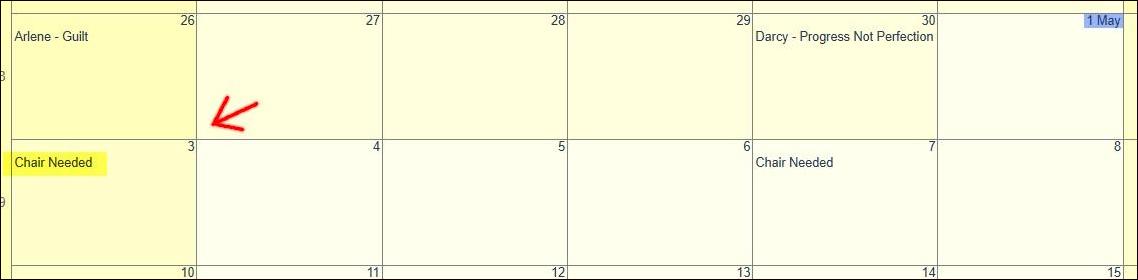
About once a month, add "Chair Needed" to the blank Sundays and Thursdays at the bottom of the calendar (month view). To do this click in the blank area of the calendar date to open a pop-up edit window. Do not click on the date itself because that opens up a different pop-up. In the pop-up window, type "Chair Needed" in the title field, then below click on Add and close.
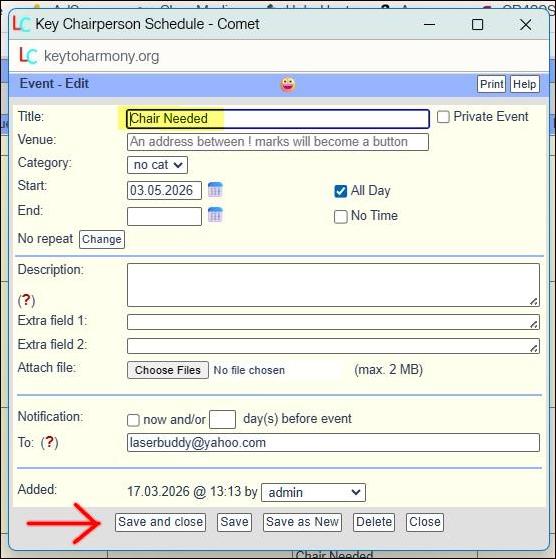
To update the event when a new topic has been scheduled, click on "Chair Needed" on the appropriate date then in the pop-up edit window backspace over "Chair Needed" and replace it with the chair's first name, a space-hyphen-space, and the topic (Chairperson - Topic). Then click Save and close.