
An Online Al-Anon Email Meeting
An Online Al-Anon Email Meeting

Key to Harmony Tech Team members receive an email when someone goes to the Key website and fills out the "Join Key to Harmony" form. The email has the new member's name and address all on one line in the message (see below).
Here are the steps to add that new member to the Key to Harmony list at Gaggle.mail:
Then you go back to the orginal email, click Reply and send a welcome message to the new member. That's it. It's that simple.
Below are the details of the process to add new members with images:
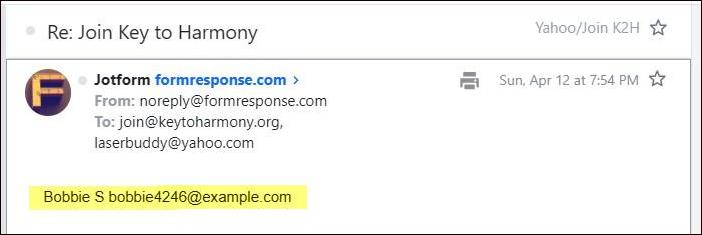
Get the New Member's Information by opening the "Join Key to Harmony" message from JotForm in your inbox. Copy the name and email address of the new member.

Log On to Gaggle.mail. Log on to the Key to Harmony member's section of Gaggle.mail here:
https://gaggle.email/g/keytoharmony@gaggle.email/members.
At the top of the Members section, click on "Add Members." Required: To access the members section you have to be a designated Administrator for the Key to Harmony Gaggle list.
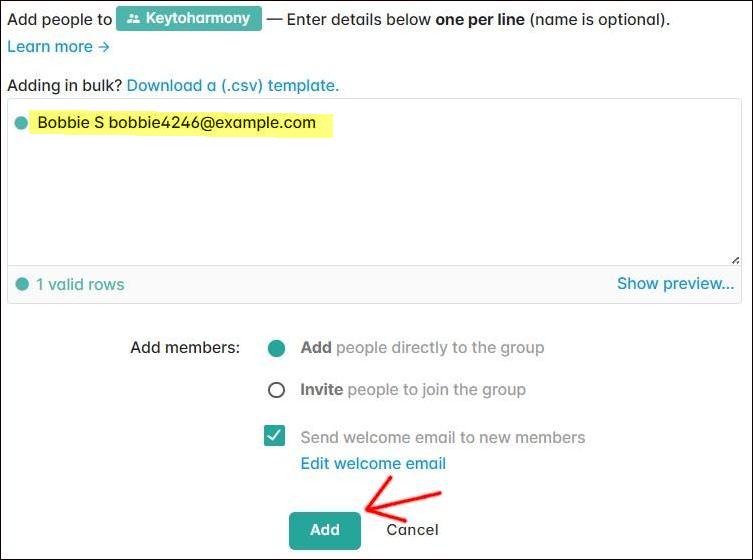
Add New Member by pasting the new member's name and address from the JotFrom email above into form pictured above. Make sure the name and address are on only one line. Then click on the Add button at the bottom.
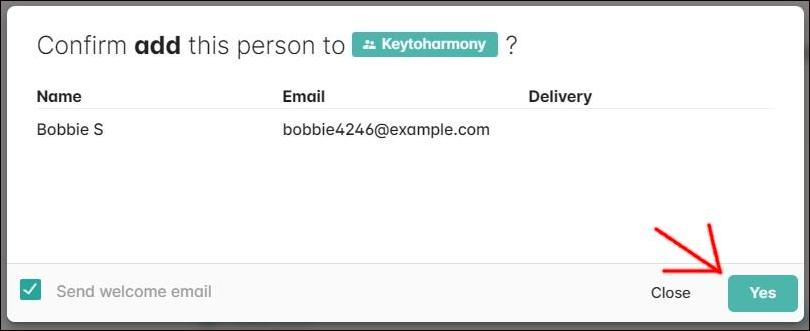
Confirm the New Member. In the resulting pop-up window, check to make sure the information is correct, then click on "Yes" at the bottom right.
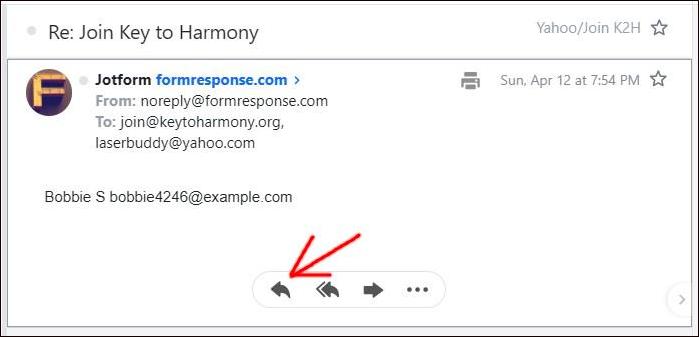
Welcome the New Member. Go back to the JotForm email in your inbox and click on the Reply button. In the reply email message, copy-paste the Welcome message text below and then click "Send."
Hello,
We welcome you to the Key to Harmony online Al-Anon email meeting and hope you will find in this fellowship the help and friendship we have been privileged to enjoy.
We have two topic-discussion meetings per week via email - on Sunday and Thursday. Your "meeting" will arrive each day in your inbox as members begin to share on the current topic.
Are you new to Al-Anon? Please check out our special Newcomers Section:
http://keytoharmony.org/new/For more information about Al-Anon Family Groups, our Key to Harmony meeting, and how it works, please visit the Members Information section of our website. http://keytoharmony.org/members.html
There you can find information including:
Welcome New Members Announcements and Reports Frequently Asked Questions What Is a Sponsor? KEY Officers and Coordinators Who to Contact Permission to Quote CALIf you have any questions or need more information, please reply to this email and we will get back with you as soon as possible.
Welcome!
Sometimes the Tech Team receives requests from members to unsubscribe them from the Key to Harmony email list, even though there is an Unsubscribe link in every Key messages that is sent. Here are the steps:
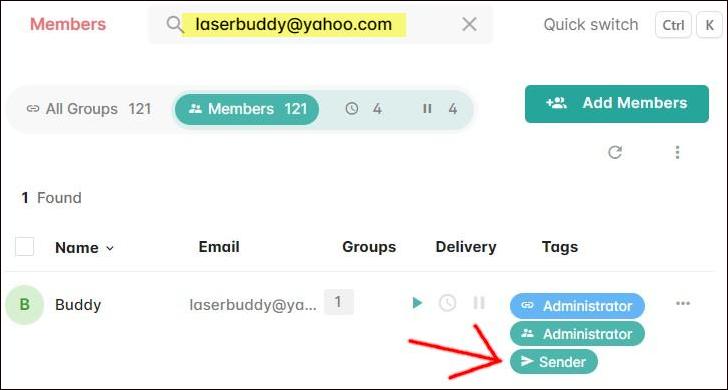
Search Members List: Go to the members section of the Gaggle.email website and search for the member by email address. When the member is found, click on the "Sender" button next to the email address.

Delete Member: In the right-side panel that opens up, scroll down to the bottom of the panel and click the Delete button. This will remove the member from the Gaggle system. The "Remove" button is only used if a group has more than one list with Gaggle.